I was looking for a way to run AI calls from Google Sheets without leaving the spreadsheet—turns out App Script works fine for this. Here's how I set it up with DeepSeek.
Why bother
Google Sheets is already where a lot of us keep project notes, budgets, and random lists. Being able to hit an LLM from there saves switching between tabs. DeepSeek has a straightforward API and a free tier that's enough to experiment. Their docs cover registration.
Step 1: Get an API key
Sign up on the DeepSeek platform and create an API key. Store it somewhere safe—you'll paste it into the script below.
Step 2: Add the script in App Script
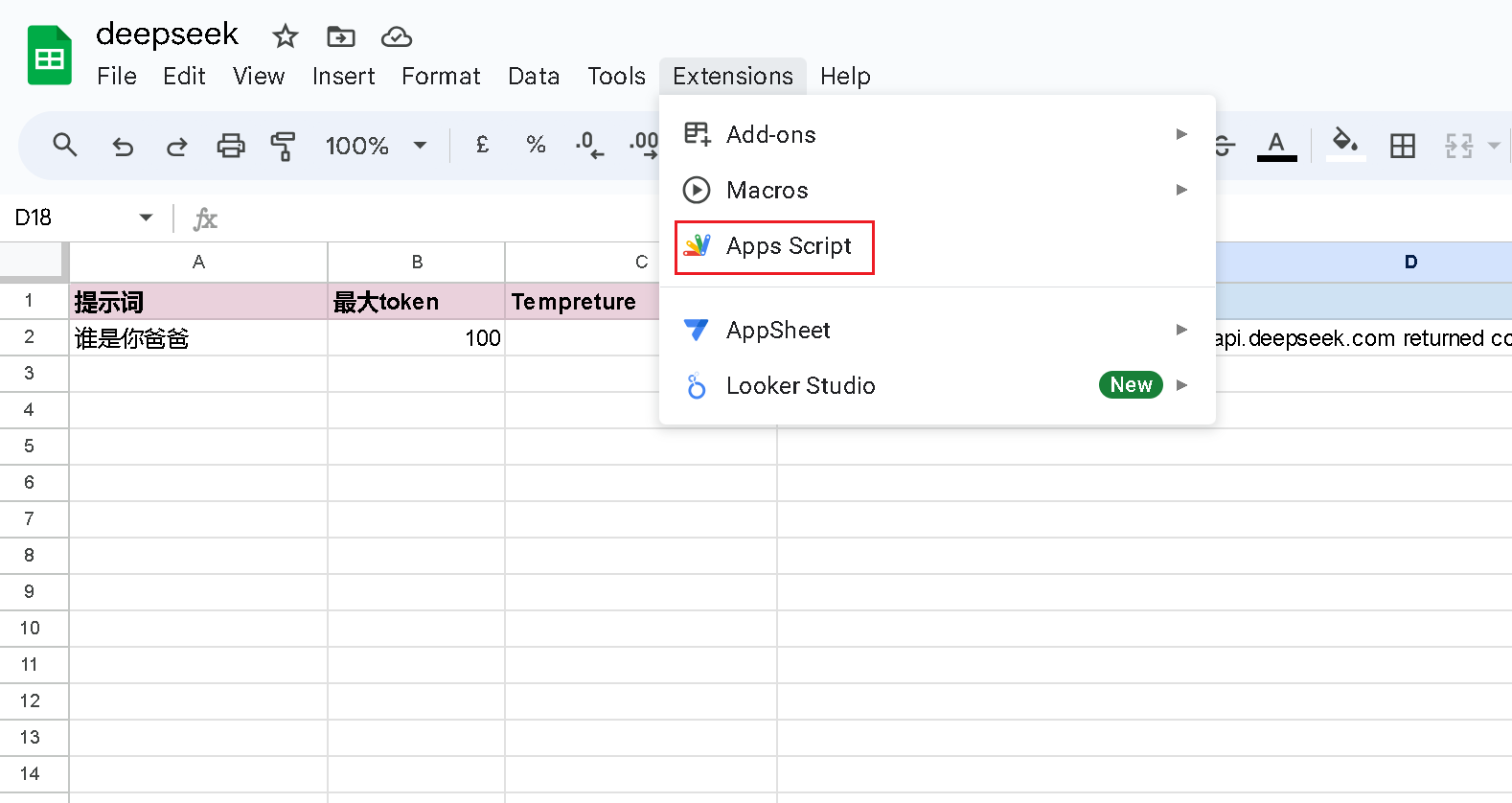
Open your Google Sheet, go to Extensions → Apps Script. You'll get a code editor. Paste this:
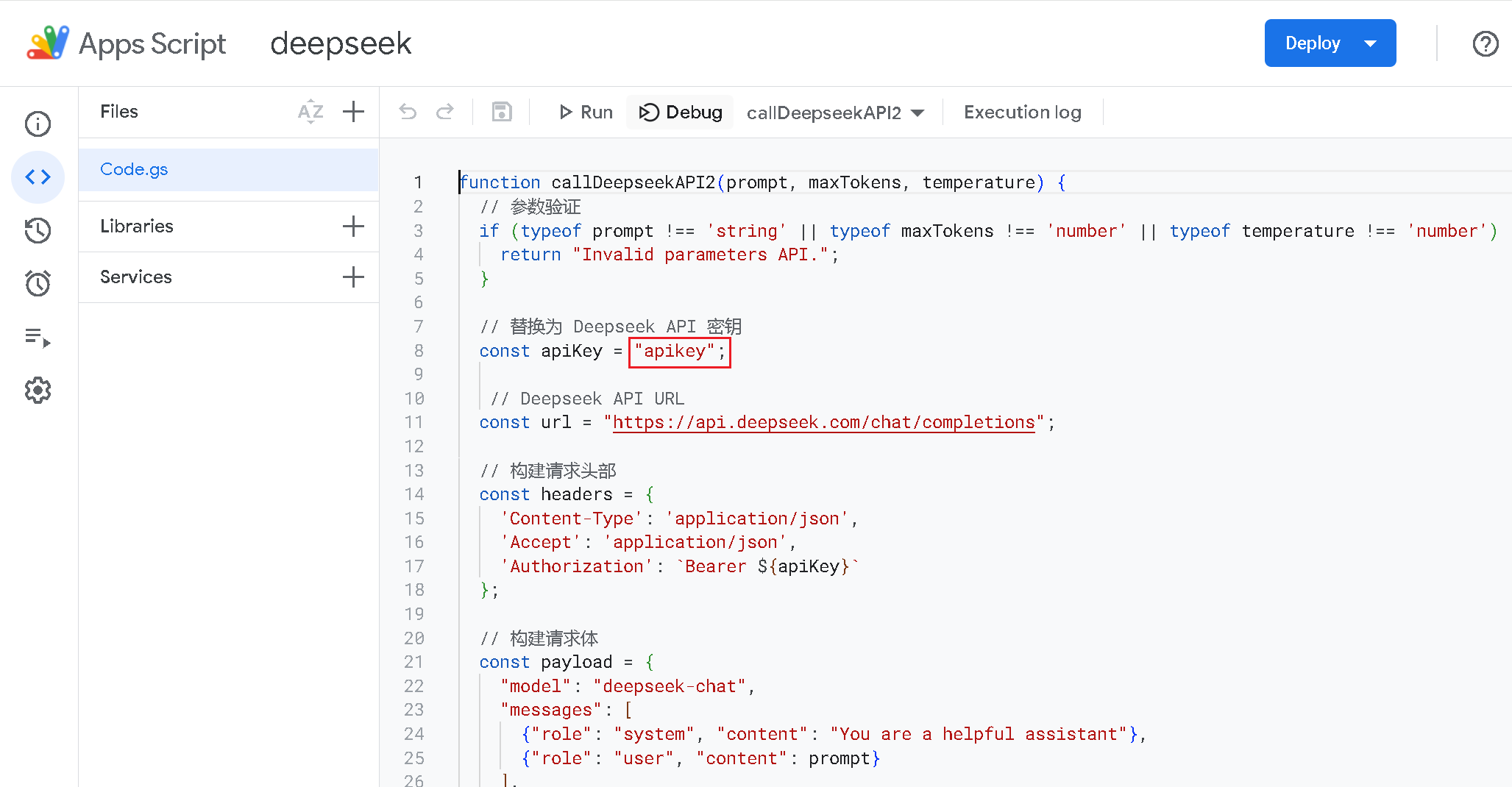
function callDeepseekAPI2(prompt, maxTokens, temperature) {
  const apiKey = "your-api-key-here"; // Replace with your actual DeepSeek API key
  const url = "https://api.deepseek.com/v1/chat/completions";

  const payload = {
    model: "deepseek-chat",
    messages: [{ role: "user", content: prompt }],
    max_tokens: maxTokens,
    temperature: temperature
  };

  const options = {
    method: "post",
    contentType: "application/json",
    headers: {
      "Authorization": "Bearer " + apiKey
    },
    payload: JSON.stringify(payload)
  };

  const response = UrlFetchApp.fetch(url, options);
  const json = JSON.parse(response.getContentText());
  return json.choices[0].message.content;
}
Replace "your-api-key-here" with your key. The script POSTs to DeepSeek's chat completions endpoint and returns the text from the first choice.
Click Run. Google will ask for permission—approve it. If you see "this app isn't verified," that's normal for custom scripts; you can continue.
Step 3: Use it in the sheet
Once the script is saved and authorized, you can call it from any cell:
=callDeepseekAPI2("Write a funny tagline for a tech blog", 50, 0.7)
Parameters:
- prompt: What you want the model to do
- max_tokens: Cap on response length
- temperature: 0.2 = more deterministic, 0.9 = more varied
You can also pass cell references:
=callDeepseekAPI2(A1, B1, C1)
Example: auto comments for function names
I had a column of function names that needed one-liner comments. In the next column:
=callDeepseekAPI2("Write a one-sentence comment for this function: " & A2, 30, 0.5)
For something like calculateBugCount() it might spit out // Tallies the bugs you swore weren't there. Not perfect every time, but saves a lot of typing.
When it breaks
- Wrong or missing API key: Recheck the script.
- Quota exceeded: Check usage on the DeepSeek dashboard.
- Generic failure: Temporarily change the script to return
response.getContentText()instead of parsing JSON—the raw response usually shows the error.
Wrapping up
That's it. I've used this for SQL explanations and doc snippets when things live in Sheets anyway. If you have a different use case, might be worth trying.